WhatsApp Shared Inbox for Customer Support: How Teams Reply Faster
Build a WhatsApp shared inbox for customer support with assignments, fast replies, team visibility, analytics and clean handoffs. Includes keywords, setup steps, internal links, external sources and a technical checklist.
01
Quick answer
WhatsApp shared inbox for customer support works best when the business treats WhatsApp as a permission-based operations channel, not a dumping ground for generic blasts. map the most common customer requests, decide which team owns each request and create saved replies for the moments that repeat every day. From there, the winning pattern is simple: keep the audience specific, use approved WhatsApp templates, make the next action obvious, and measure what happens after the message is delivered.
This guide is written for support managers, operations leads, ecommerce teams, property offices and service businesses. It explains how to plan the workflow, where WhatsApp Cloud API webhooks fits, which SendyStack tools to use, and how to avoid the messy habits that make teams lose replies, miss payments, or send campaigns they cannot analyze later.
- Primary keyword: WhatsApp shared inbox for customer support
- Related terms: team WhatsApp inbox, customer support on WhatsApp, shared WhatsApp conversations, support team workflow
- User intent: The reader wants to move support away from one phone and into a team workflow with accountability.
- Best CTA: start with a small controlled workflow before scaling sends
02
Why this workflow matters now
Customers increasingly expect business messages to be immediate, contextual and easy to answer. The problem is that customers message the business on WhatsApp, but replies depend on whoever is holding the phone. That creates a gap between the conversation customers see and the operating system the business actually uses. The gap becomes expensive when teams cannot tell who was contacted, whether the message was read, which customer replied, or what task should happen next.
a shared inbox workflow where every conversation has an owner, context, history and measurable outcome solves that problem by giving the team a single source of truth. Instead of jumping between spreadsheets, phones, browser tabs and payment records, the team works from one timeline. Contacts are segmented, templates are approved, schedules are visible, webhooks bring events back, and analytics show whether the effort is producing action.
The most effective teams do not begin with volume. They begin with clarity. They define the audience, the message, the operational owner and the follow-up rule before the first send. That is why Inbox operations workflow should be designed as an operating habit, not a one-time campaign task.
03
Keyword research and search intent
The primary keyword for this article is "WhatsApp shared inbox for customer support" because it captures a high-intent query from someone who already understands the channel and wants a practical implementation path. The variations matter too: team WhatsApp inbox, customer support on WhatsApp, shared WhatsApp conversations, support team workflow and conversation analytics describe the adjacent problems a real buyer is likely comparing while researching a solution.
A good page should answer the query directly before it tries to sell. That means explaining what the workflow is, who it is for, how to configure it, what mistakes to avoid, and how to measure the result. It also means using language operators actually use: campaigns, broadcasts, schedules, contacts, templates, shared inbox, automations, analytics, API keys and webhooks.
Search intent here is mixed. The reader wants education, but they also want enough implementation detail to decide whether to build, buy or improve their current setup. The article therefore includes planning, setup, measurement and operational advice rather than a thin product announcement.
- Primary keyword appears near the beginning and in the H1.
- URL slug is short and descriptive: /blog/whatsapp-shared-inbox-for-customer-support.
- Subheadings use natural keyword variations without stuffing.
- Internal links point readers to relevant SendyStack product and documentation pages.
04
The operating model behind a reliable setup
A reliable setup has four layers. The first layer is customer data: names, phone numbers, consent status, tags, order or account context, and any segment that changes the message. The second layer is template content: approved copy with variables that are easy for a reviewer and a customer to understand. The third layer is orchestration: broadcasts, schedules, automations or API calls that decide when messages are sent. The fourth layer is feedback: replies, delivery status, read receipts, payment events and campaign analytics.
SendyStack is designed around those layers. Contacts and segments hold the audience. WhatsApp templates keep content reusable and compliant. Broadcasts and scheduling let operators launch repeatable sends. WooCommerce, M-Pesa Daraja, property workflows, API keys and webhooks connect business events to customer communication. The shared inbox keeps replies visible after the send.
The strongest businesses make this model boring in the best way. Every message has a reason, every audience has a source, every template has an owner, and every workflow has a metric. Once those basics are in place, the team can scale without creating a new manual process every week.
05
Planning checklist before you launch
Before launching Inbox operations workflow, slow down long enough to define the customer promise. A message should help the recipient do something: confirm an order, pay a bill, attend an appointment, reply to support, review a quote, claim an offer or understand a status change. If the team cannot describe that action in one sentence, the message is not ready.
Next, define the data source. Will the audience come from a CSV import, WooCommerce sync, property tenant records, a CRM, a support tag, or an API event? The source determines how fresh the list is and how much personalization the template can safely include. A campaign sent from stale data can create more support volume than revenue.
Finally, define the fallback. Some customers will not reply. Some numbers will fail. Some templates will be rejected. Some payments will arrive after a reminder has already been scheduled. A mature workflow includes status checks, suppression rules and a human review path so the automation remains helpful instead of noisy.
- Confirm consent and the business reason for the message.
- Choose one primary audience and one measurable outcome.
- Use an approved template when the business starts the conversation.
- Prepare a shared inbox owner for replies and exceptions.
- Review analytics before repeating or increasing volume.
06
How to configure it in SendyStack
Start in the SendyStack workspace by cleaning your business profile, country, industry kit and plan. That foundation matters because campaigns, property workflows, WooCommerce automation and M-Pesa configuration all depend on the same tenant record. A clear workspace name, correct country and correct industry kit help the team avoid the setup drift that normally appears later.
Next, add or sync contacts. For campaign teams, this may be a segmented CSV import. For ecommerce teams, it may be a WooCommerce customer sync. For property managers, it may be tenants connected to units and invoices. For developers, it may be contact creation through the API. Whatever the source, use tags and custom attributes that match the way you will actually send messages.
Then prepare templates. A template should have one job and enough context to be approved and understood. Use variables for names, amounts, dates, order numbers, product names or appointment times only when they make the message more useful. Keep body copy direct, include a clear action, and avoid claims that are hard to prove.
Once templates are ready, choose the sending method. Broadcasts are best when the operator chooses an audience and sends a planned message. Schedules are best for reminders or time-based follow-up. Automations are best when a status change should trigger a message. API sends are best when another system already knows exactly when the message should happen.
- Use Contacts Hub to keep audiences clean and searchable.
- Use Broadcasts for planned one-to-many sends.
- Use Schedule for reminders, recurring notices and appointment timing.
- Use Automation Workflows for order, payment, status or support triggers.
- Use API keys and webhooks when developers need system-to-system control.
07
Message structure that earns replies
Strong WhatsApp business messages are short, specific and easy to answer. The first line should make the context obvious. The middle should include only the detail the customer needs. The final line should give one action, not five. If the customer must read the message twice to understand it, the copy is too clever.
Personalization should feel operational, not decorative. A customer name can help, but an order number, unit number, invoice amount, booking date or support case reference often helps more. Those details prove that the message is meant for the recipient and reduce the number of clarifying replies your team must handle.
Templates should also prepare the team for follow-up. If the message invites a reply, the shared inbox must have ownership. If it asks for payment, the payment reconciliation workflow must be ready. If it announces a product, the store inventory and customer support team should be ready for questions.
08
Automation rules and human control
Automation is most valuable when it removes repeated coordination, not when it hides the business from the customer. A good rule says: when this trusted event happens, send this approved template to this audience, then record the result. That structure keeps the team in control while still saving hours of manual work.
For WhatsApp shared inbox for customer support, automation should be narrow at first. Choose one event, one template, one audience and one success metric. For example, a store can send one unpaid-order reminder after a defined delay. A property manager can schedule one rent reminder before the due date. A support team can route one type of inbound message to the right owner. Once the result is proven, add the next rule.
The shared inbox remains important even in automated flows. Customers do not experience "automation"; they experience a business conversation. When a reply arrives, someone needs context, a response path and visibility into what the customer received before replying. That is why automation, inbox and analytics belong together.
09
Analytics that actually improve the workflow
The first analytics layer is delivery: sent, delivered, failed and read. These numbers tell you whether the channel is technically healthy and whether the template is reaching customers. The second layer is response: replies, clicks, payments, bookings or order activity. These numbers tell you whether the message created useful action.
Avoid judging the workflow by a single send. Compare templates, audiences and timing. A reminder sent too early may be ignored. A product campaign sent to every customer may perform worse than a smaller segment. A support follow-up may get more replies after the case is closed than while it is still active. The point of analytics is to learn which operational choices improve trust.
SendyStack analytics help teams see campaign performance without exporting everything to a spreadsheet. Operators can look at the broadcast, schedule or automation that created the message, then review delivery and reply signals. Developers can use webhooks to store the same events in internal systems when deeper reporting is needed.
- Track delivery health before judging copy quality.
- Compare performance by segment, template and send time.
- Record replies and payment or order outcomes where possible.
- Use failed sends to clean phone numbers and contact records.
- Turn repeated questions into better templates or help content.
10
Common mistakes to avoid
The first mistake is sending to everyone because the list exists. Relevance beats reach. A smaller group with a clear reason to receive the message usually produces better replies and fewer complaints than a broad audience with weak intent. Segment by customer behavior, account status, property, product interest or support context.
The second mistake is treating templates as a compliance chore instead of the product experience. Customers read the template as the business. If it sounds vague, aggressive or robotic, the business sounds that way too. Write templates the way a helpful operator would speak, then use variables to make the message specific.
The third mistake is ignoring the after-message workflow. A broadcast can create support demand. A rent reminder can create payment questions. An automation can expose data issues. Make sure the team knows who handles replies, how exceptions are escalated and when a customer should stop receiving a sequence.
11
A 30-day rollout plan
In week one, audit your contact data, template library and current manual process. Document the messages your team sends repeatedly and note which ones have a clear business outcome. Choose one workflow that is frequent enough to matter but narrow enough to control. That workflow becomes the pilot.
In week two, configure the SendyStack workspace, import or sync the audience and submit the first templates. Set up any integration required for the pilot, such as WooCommerce, M-Pesa Daraja, property records, API keys or webhooks. Keep the first audience small so the team can review every reply and failure.
In week three, launch the workflow and watch the inbox. Do not optimize only the message body. Watch timing, audience quality, variable accuracy, delivery health and staff readiness. If customers ask the same question repeatedly, improve the template or create a better follow-up path.
In week four, review the metrics and decide what to scale. Keep what produced useful replies, payments, bookings or order activity. Remove what created confusion. Add one additional segment, template or automation rule only after the first workflow is stable.
- Week 1: audit and choose the pilot workflow.
- Week 2: configure workspace, contacts, templates and integration.
- Week 3: launch, monitor replies and fix operational gaps.
- Week 4: review analytics, document the playbook and scale carefully.
12
Where SendyStack fits
SendyStack brings team replies, contact context, broadcasts, schedules, templates and automation into the same customer communication workspace. That matters because WhatsApp success is rarely one feature. A broadcast needs contacts. A scheduled reminder needs templates. A WooCommerce automation needs order data. A property workflow needs tenants and payment context. An API integration needs keys, webhooks and analytics that operators can understand.
The platform is built for teams that want the speed of WhatsApp without the chaos of personal phones and disconnected spreadsheets. It gives non-technical operators a dashboard while still giving developers API access when a custom system needs to send messages or receive events. That combination is what turns messaging from a side task into a business workflow.
13
SEO publishing checklist for this article
This article follows a practical SEO checklist before publishing. The title tag begins with the main topic and stays under 60 characters. The URL is short, readable and keyword-led. The H1 contains the target keyword naturally. The meta description is unique, written for clicks and kept in the 120 to 155 character range. The primary keyword appears in the first 100 words, and variations are used in subheadings and body copy.
The article also includes internal links, authoritative external links, descriptive image filenames, meaningful alt text, short paragraphs, bullet points, FAQs and a clear CTA. After publishing, the URL should be submitted in Google Search Console, checked on mobile and reviewed for load speed. Those checks do not guarantee ranking, but they remove avoidable obstacles and make the content easier to understand.
- Title tag: WhatsApp Shared Inbox for Customer Support
- Meta description: Build a WhatsApp shared inbox for customer support with assignments, fast replies, team visibility, analytics and clean handoffs.
- Image file: whatsapp-shared-inbox-for-customer-support.svg
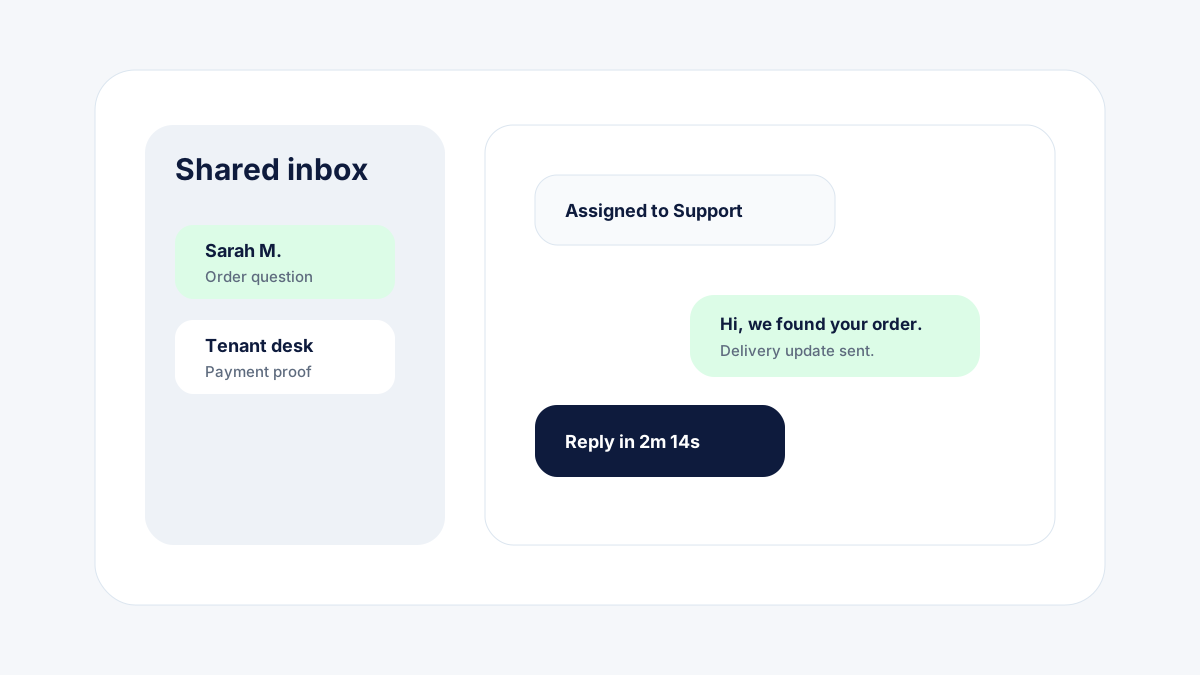
- Image alt: Shared WhatsApp inbox illustration with assigned conversations, customer profiles and support metrics
Frequently asked questions
Can several agents use one WhatsApp inbox?
Yes. A shared inbox lets multiple agents reply from one approved business number while keeping the customer history visible to the team.
How do we avoid duplicate replies?
Use assignment, internal notes and conversation status so only one person owns the active answer at a time.
Can support chats become campaigns later?
Yes, with consent and good segmentation, common support moments can become helpful follow-up broadcasts or scheduled reminders.